Okay so I'm trying to take some models I converted and export them to sculpts. I AM SO CLOSE, goes from export app, to milkshape to 3ds or obj, then I try to export and obj has too many faces to export but 3ds exports from wings3d and Maya, but I get a sort of crazy image that looks like the sculpt image but with the rectangles jumbled about, as if I could rearrange them like a puzzle and it would be normal. I export from maya and I get a sculpt that is in the shape of the texture map for the model. I test them in second life or sculpty paint and I can see the shape of the object covered up by a lot of extrusions and polygon abberations. How can i reduce the poly count without splitting it into multiple objects in maya or milkshape or wings. The model is a mushroom, pretty much simple as a lathe map. There HAS to be a way as I am pulling the general shape of the model underneath all the crappy second life extrusions. I feel like if I could get this right I could get a ton of my organic models converted to sculpty. Thanks alot!
P.S. if you wanted the file to try this, I would pay you money to take it, convert it to a good working sculpty and create a process tutorial for me. Thanks!
Welcome to the Second Life Forums Archive
These forums are CLOSED. Please visit the new forums HERE
Sculpt Prims from 3D Models |
|
|
Ravenis Black
Registered User
Join date: 8 Apr 2005
Posts: 90
|
03-19-2008 22:21
|
|
Domino Marama
Domino Designs
Join date: 22 Sep 2006
Posts: 1,126
|
03-20-2008 02:15
Here's my advice on doing that in Blender:
/8/60/203571/7.html#post1870912 With a lathed model, you should be able to get a reasonable unwrap by removing the poles and adding a single seam. If it's a fairly high resolution mesh, then I'd bake to a higher than normal sculptie map, say 512 x 512, then scale down to 64 x 64 in an image editor. Import that and tidy up. The trick is to get a full square UV map as though your model was made out of a single square of latex stretched over it. Though the automated methods won't often get the key vertice for the different LODs right and you'll have to do a fair bit of tweaking. With my latest Blender scripts it's a bit more involved than previously to bake to a higher resolution image. After doing the intial bake to setup the sculptie, in the logic panel you'll need to edit LL_SCUPT_IMAGE and change it to the name of the higher resolution image then bake again. |
|
Ravenis Black
Registered User
Join date: 8 Apr 2005
Posts: 90
|
03-20-2008 12:41
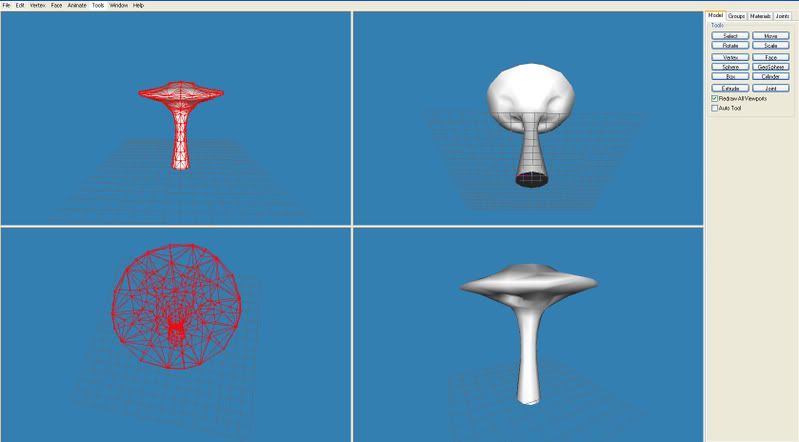
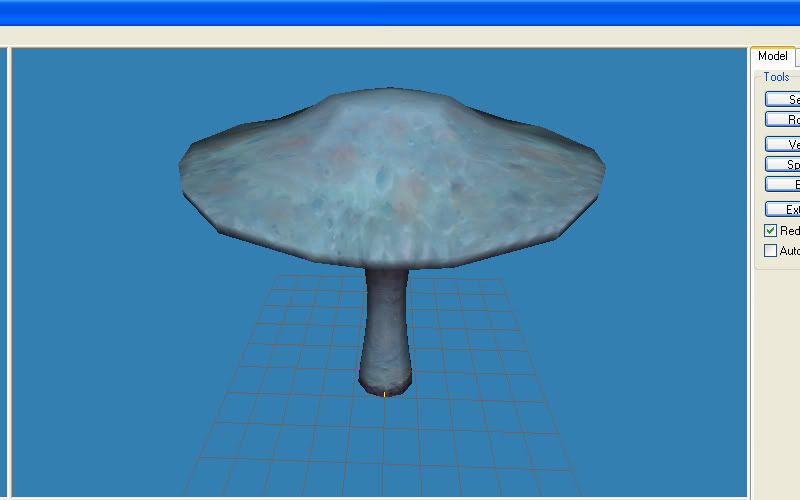
Okay sounds like that may work. My main dilemma is unwrapping these models a second time rebaking the texture. Because they are already textured and formatted for another one of my 3d applications. I of course only want models like this mushroom exported. So what I need to know is how to put that single seam and then export both the sculptie map and texture map, because I am assuming even if I could get a sculptie map exported, that using the same texture map for the sculptie that was for the original model would probably never work. Attached are examples of the model from milkshape and then a textured one. Is there some sort of step by step process you can point me through? I know some about 3d applications, blender baffles me a bit, I could pay you if necessary. I thank you so much for the help.
  |
|
Domino Marama
Domino Designs
Join date: 22 Sep 2006
Posts: 1,126
|
03-20-2008 13:35
It's hard to be specific as the exact process will depend entirely on the original mesh and uv map. Blender does support multiple UV maps so it's entirely possible to add the sculptie style one as a second uv map and bake the textures from the original to the new. I mentioned Blender because it's what I use most and know well, but the basic principles should apply to doing this in any of the 3D apps that use the UV layout for baking the sculptie map.
The sculptie format does give very specific limits on what you can do. You need a good grasp of those and the UV tools of your particular 3D application to figure out how to convert a specific model to those limits. |