To start I'm using Abu Nasu's Material file (thank you for creating this, its been a lifesaver since I found it)
Material found here: /8/e5/182461/2.html#post1505984
Tutorial by Abu: http://tech-slop.serveit.org/wiki/index.php?title=Sculptie_Egg
To start, I'm going to do just like in Abu's tutorial and Gearsawe Stonecutter's (http://www.joe-brown.net/SecondLife/SculptTut/SculptTut.html). Please read this one if I lose you, I'm doing a very quick tutorial to save space.
Create a Cylander, apply an edit mess modifier. Then go to select vertex, and remove the 2 center vertices.
http://img.photobucket.com/albums/v68/Icon_f10/Step1copy.jpg
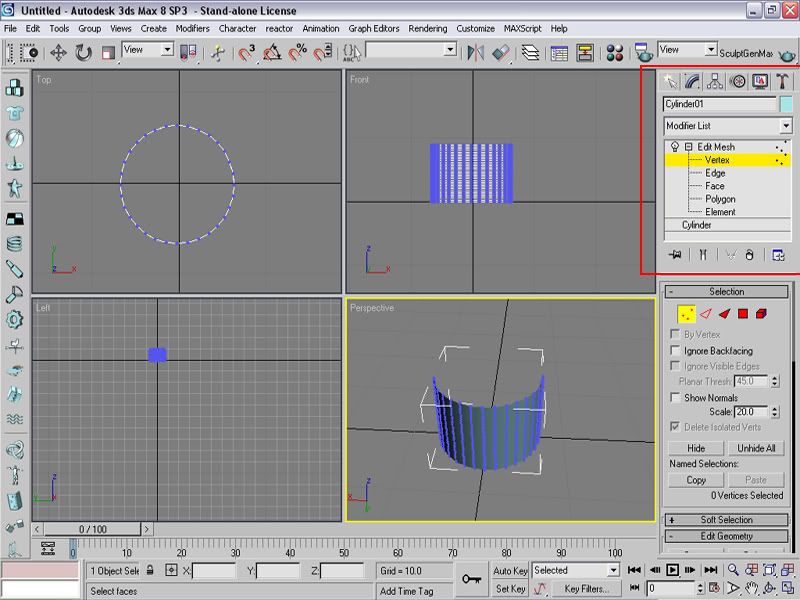
Then select half the vertices and delete them, be careful not to get the center rows (see the picture)
http://img.photobucket.com/albums/v68/Icon_f10/Step2copy.jpg
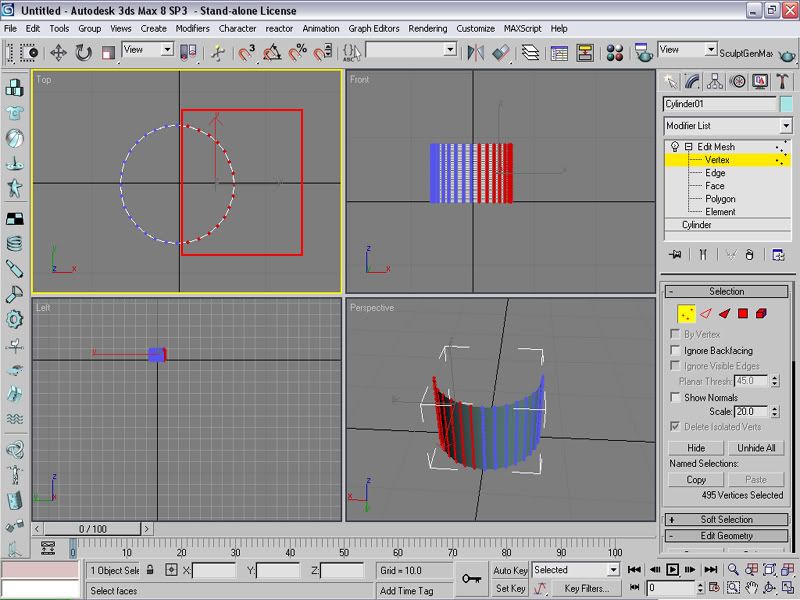
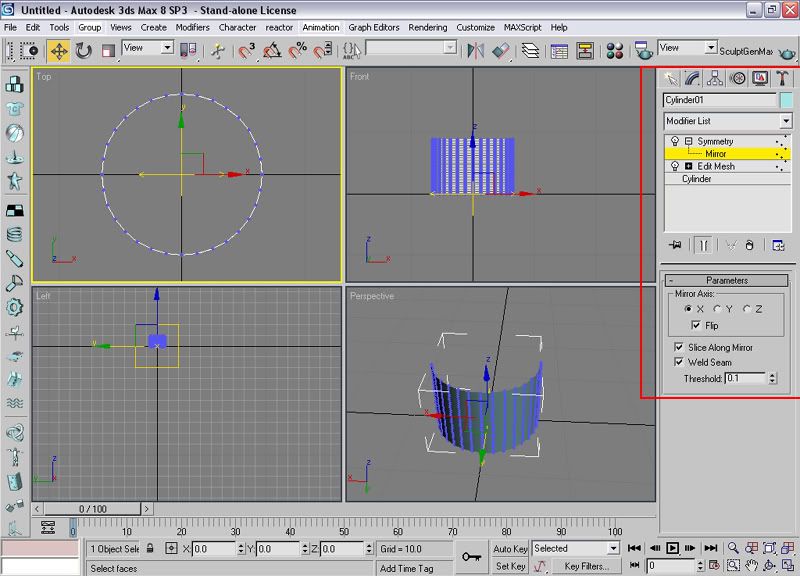
Add your symmetry modifier, you may have to flip it or change the orientation depending on how you cut it.
http://img.photobucket.com/albums/v68/Icon_f10/Step3copy.jpg
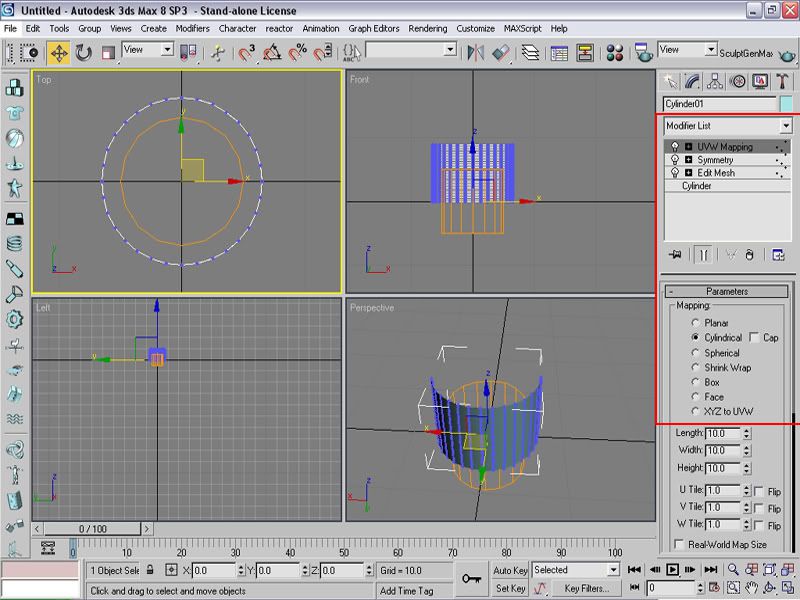
Add a uvmap modifier, set it to cylindrical without a cap.
http://img.photobucket.com/albums/v68/Icon_f10/Step4copy.jpg
Add a UVunwrap modifier.
http://img.photobucket.com/albums/v68/Icon_f10/Step5copy.jpg
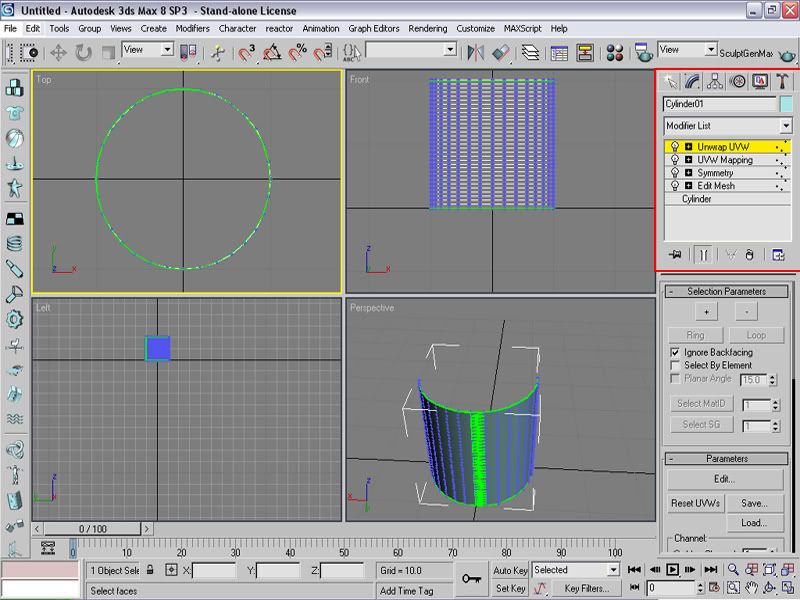
Now go into edit your UVmap, if you have a big huge uv map way out of the bounds of that dark blue box, don't worry, just shrink it down and make it fit.
http://img.photobucket.com/albums/v68/Icon_f10/Step6acopy.jpg
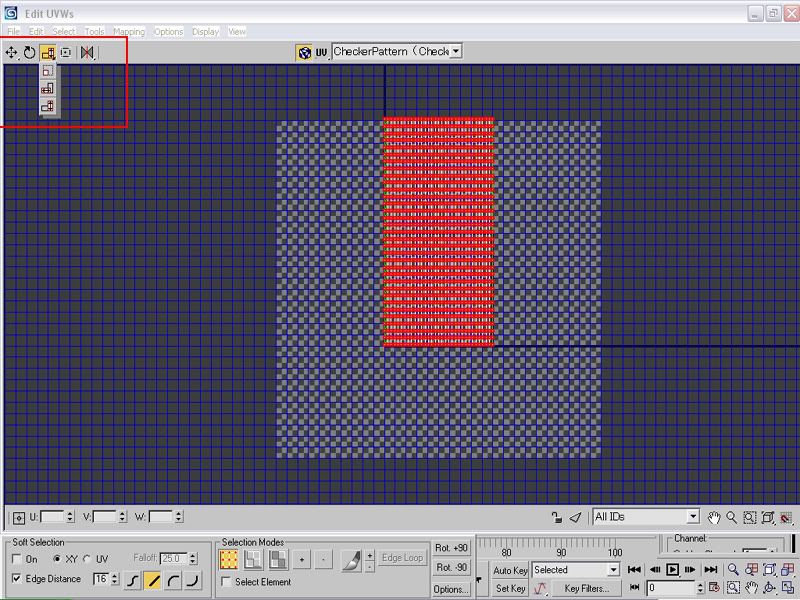
http://img.photobucket.com/albums/v68/Icon_f10/Step6bcopy.jpg
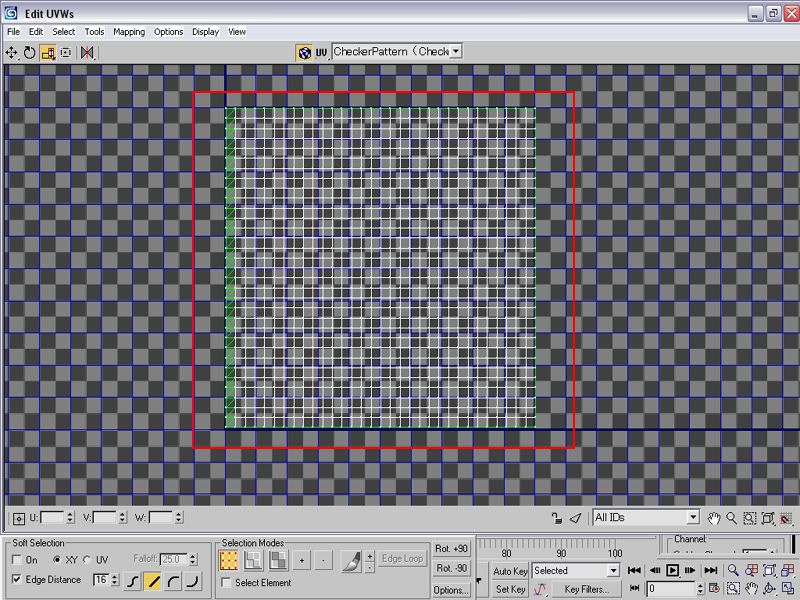
A little trick here, if you don't want to worry about having to open a image editing program to flip your texture around, just do it right here in 3dsmax, up in the corner theres a nice button flip horizonal, then realign it to the box.
http://img.photobucket.com/albums/v68/Icon_f10/Step7copy.jpg
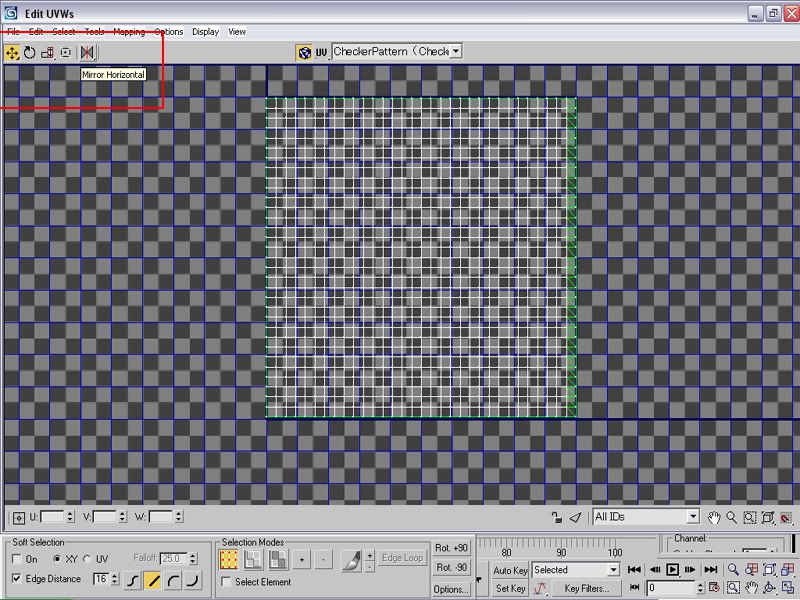
Save this for your template
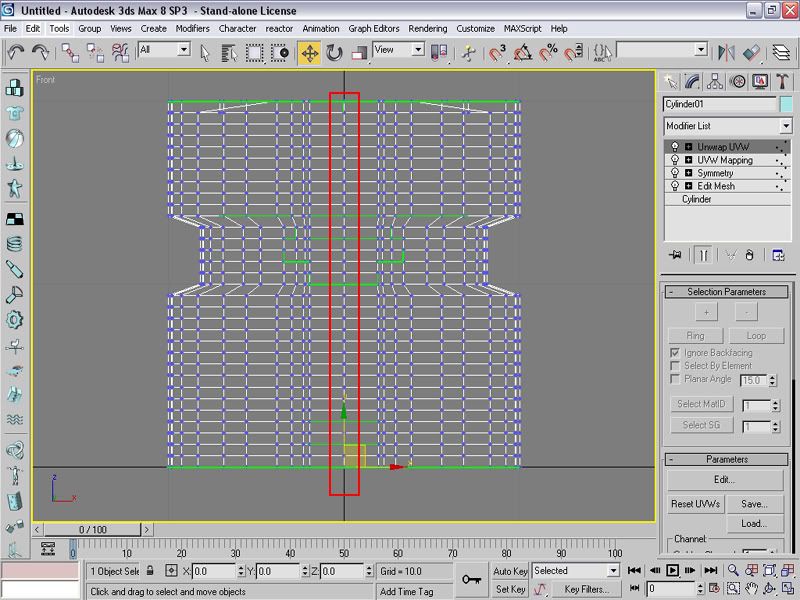
Now make a strange little shape, or whatever, be very careful here, do not pull the middle vertices apart, thats bad, see my pictures.
(Good)
http://img.photobucket.com/albums/v68/Icon_f10/Step8goodcopy.jpg
(Bad)
http://img.photobucket.com/albums/v68/Icon_f10/Step8Badcopy.jpg
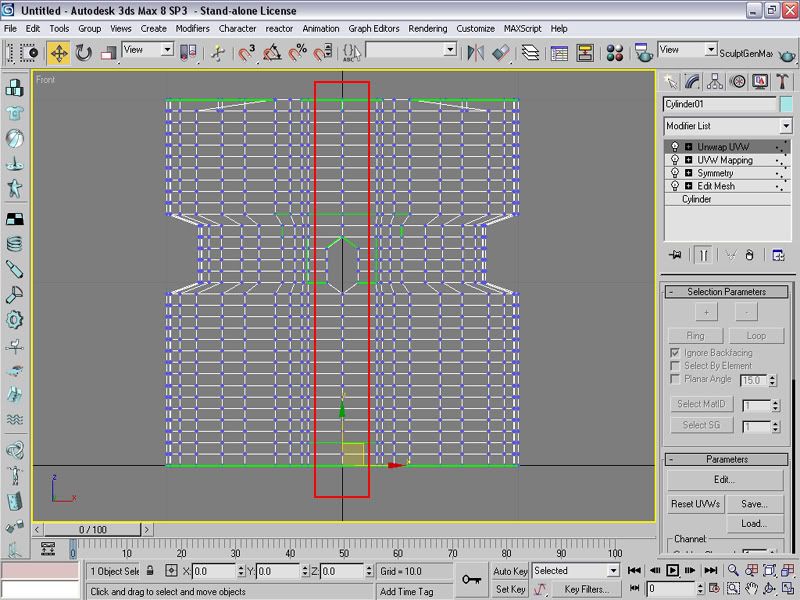
Now follow Gearsaws guide to rendering, and you should have a nice little symetrical sculptie in no time.
I'll come back and refine this alittle later, if anyone thinks I forgot anything please let me know. Kinda in a hurry but really wanted to get it done for everyone
