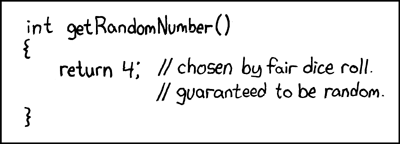
How does one assign random generated numbers, ie lets suppose A= 10, B = a random number between 0 and A...?
so to set a random timer in this line for example..
llSetTextureAnim( ANIM_ON | LOOP , ALL_SIDES, 5, 5, 0, 25, B);
its the random generator i need.. the scripting is easy.. ive just no idea how to get a defined range random variable.
Welcome to the Second Life Forums Archive
These forums are CLOSED. Please visit the new forums HERE
Using random variables.? |
|
|
Incony Hathaway
Registered User
Join date: 18 Feb 2007
Posts: 235
|
06-28-2007 11:27
|
|
RJ Source
Green Sky Labs

Join date: 10 Jan 2007
Posts: 272
|
06-28-2007 11:57
|
|
Milambus Oh
Registered User
Join date: 6 Apr 2007
Posts: 224
|
06-28-2007 12:56
llFrand() - This will return a floating point number between 0.0 and 1.0.
Some values we may get: 0.0, 0.1, 0.25, 0.033, 0.5, 0.75, 1.0 These are only examples, the actual response can be any decimal value that can be represented in LSL. If we then multiple that value by another numbwe, the result is a decimal between 0 and that number. Example: llFrand() * 10 Possible results: 0.0, 1.0, 2.5, 3.3, 5.0, 7.5, 10.0 But you wanted an integer? Use llRound() Code: llRound(llFrand() * 10) Results: 0, 1, 3, 3, 5, 8, 10 But you don't want the lower bounds to be 0, you want to use MIN_NUM instead? This is slightly more complicated, but not too bad. Just subtracter your min value from your max value before you multiply it by llFrand().. then add your min value to the results. Example: A random integer between 10 and 20 integer minValue = 10; integer maxValue = 20 integer randNumber = llRound(llFrand() * (maxValue - minValue) ) + minValue; Results: 20 - 10 = 10 llFrand() * 10 possible results: 0, 1, 3, 3, 5, 8, 10 Now add minValue which is 10: 10, 11, 13, 13, 15, 18, 20 |
|
Deanna Trollop
BZ Enterprises
Join date: 30 Jan 2006
Posts: 671
|
06-28-2007 13:30
llFrand() - This will return a floating point number between 0.0 and 1.0. |
|
Fenix Eldritch
Mostly harmless

Join date: 30 Jan 2005
Posts: 201
|
06-28-2007 15:44
|
|
Incony Hathaway
Registered User
Join date: 18 Feb 2007
Posts: 235
|
06-30-2007 07:56
Thank you for the responses...
I will use the stuff posted here.. except (http://imgs.xkcd.com/comics/random_number.png) ....  to see what is possible.. I am used to using stuff like Iptscrae where the random number definition is very simple to define for range. What i seek to do is select particular images on a texture, not just a set image. but a random one, it allows one to create random animation movement in things across a set range.. its about random oscillation patterns.. deep stuff maybe, but its how movement in nature often is.. Gestures and sitting pattern animations use the same kind of technique.. you stretch your arms..wiggle your fingers..scratch your face.. there is the range, but you might do any of those three next.. or nothing.. We can make an object move with the wind in SL for example, but ive not found leaves on a tree object that move independent of the whole tree object they are on.. that is the kind of detail i want. ive put up a few animation pictures on display at Trueblood 54,80,23 its the kind of 2d animation i am interested in.. all of those seamless loop animations started as single static pictures, no movement.. They were created for using in Palace.. the 2d chat program. i am also interested in 360 degree backgrounds, they too can be animated seamlessly.. in 2d.. So after getting the random part to function i will be looking at how to combine texture animations seamlessly on seperate objects.. to create big 2d anims. so.. again.. thank you for the pointers.. i will revitalise my contribution here when i have something to show, that uses what i want to do in SL. |
|
Qie Niangao
Coin-operated

Join date: 24 May 2006
Posts: 7,138
|
06-30-2007 09:35
Code: llRound(llFrand() * 10) Results: 0, 1, 3, 3, 5, 8, 10  integer)" typecast and specify an upper limit 1.0 greater than the desired range. Also, I think llFrand() requires a float argument, so, to get random numbers evenly distributed (more or less) among the integers 0 through 10, I'd do something like: integer)" typecast and specify an upper limit 1.0 greater than the desired range. Also, I think llFrand() requires a float argument, so, to get random numbers evenly distributed (more or less) among the integers 0 through 10, I'd do something like:result = (integer)llFrand(11.0); See http://www.lslwiki.net/lslwiki/wakka.php?wakka=llFrand for related discussion. |
|
Incony Hathaway
Registered User
Join date: 18 Feb 2007
Posts: 235
|
nope fell over at first fence...(
07-14-2007 18:31
ok, i adapted a script to cycle thru textures and animate the texture... but getting it to be a defined range random beats me.. i get text errors or out of scope... so whats been posted here might be great, but i cant get it working..
the script i tried to use random in... integer max_nr; integer cur_nr; integer time = 5; //write here your time init() { max_nr = llGetInventoryNumber(INVENTORY_TEXTURE); cur_nr = 0; llSetTimerEvent(time); llSetTextureAnim( ANIM_ON | LOOP , ALL_SIDES, 4, 4, 0, 16, 17); } default { state_entry() { init(); } changed(integer change) { if (change & CHANGED_INVENTORY) init(); } on_rez(integer param) { init(); } timer() { cur_nr++; if (cur_nr == max_nr) cur_nr = 0; llSetTexture(llGetInventoryName(INVENTORY_TEXTURE, cur_nr), ALL_SIDES); //change ALL_SIDES to side nr. if you want } } there are two randoms i want 1.) To define a random number from range.. for start and finish... so thats the 0 and 16 that become random ie it could start at frame 0 to 4 and finish at 13 to 16: llSetTextureAnim( ANIM_ON | LOOP , ALL_SIDES, 4, 4, random_st , random_fin,17); 2.) the cur_nr in the script gets reset to 0 when it reaches the max_nr, i dont want that to happen.. i want it to be a random number in the range set by max_nr, which is defined by the number of textures in the prim content thats found.. ie so if max_nr = 3 then texture 3 might be repeated.. not reset to zero.. since it should be random number say from 0 to 3 if thats how many textures there are in the content folder. the effect then is that a random texture is chosen from the content, and a random start and finish point is chosen from within that texture and it does that every five seconds... and eventually i will be using a random time too. can someone show me please? |
|
Incony Hathaway
Registered User
Join date: 18 Feb 2007
Posts: 235
|
adding random colours..
07-15-2007 04:26
using script elements from other subject posts on random i have added a random colour changer,
right now im still trying to add random from ranges ( as previous post ) but here is the current script: integer max_nr; integer cur_nr; integer time = 5; //write here your time init() { max_nr = llGetInventoryNumber(INVENTORY_TEXTURE); cur_nr = 0; llSetTimerEvent(time); llSetTextureAnim( ANIM_ON | LOOP , ALL_SIDES, 4, 4, 0, 16, 17); } default { state_entry() { init(); } changed(integer change) { if (change & CHANGED_INVENTORY) init(); } on_rez(integer param) { init(); } timer() { cur_nr++; if (cur_nr == max_nr) cur_nr = 0; float random = llFrand(1); float random2 = random*10.0-llFloor(random*10); float random3 = random*100.0-llFloor(random*100); llSetColor(<random ,random2 ,random3>,ALL_SIDES); llSetText((string)llGetColor(-1),<1,1,1>,1); llSetTexture(llGetInventoryName(INVENTORY_TEXTURE, cur_nr), ALL_SIDES); //change ALL_SIDES to side nr. if you want } } |
|
Incony Hathaway
Registered User
Join date: 18 Feb 2007
Posts: 235
|
adding random to main texture pick...
07-15-2007 05:04
so.. the fault seemed to be in this line:
integer randNumber = llRound(llFrand() * (maxValue - minValue) ) + minValue; and making llFrand a 1 stopped the error, but im not sure why.. the script runs now but i would like to know what, changing () to (1), has done. integer max_nr; integer cur_nr; integer time = 5; //write here your time init() { max_nr = llGetInventoryNumber(INVENTORY_TEXTURE); cur_nr = 0; llSetTimerEvent(time); llSetTextureAnim( ANIM_ON | LOOP , ALL_SIDES, 4, 4, 0, 16, 17); } default { state_entry() { init(); } changed(integer change) { if (change & CHANGED_INVENTORY) init(); } on_rez(integer param) { init(); } timer() { //cur_nr++; //if (cur_nr == max_nr) integer minValue = 0; integer maxValue = 3; integer randNumber = llRound(llFrand(1) * (maxValue - minValue) ) + minValue; cur_nr = randNumber; float random = llFrand(1); float random2 = random*10.0-llFloor(random*10); float random3 = random*100.0-llFloor(random*100); llSetColor(<random ,random2 ,random3>,ALL_SIDES); // llSetText((string)llGetColor(-1),<1,1,1>,1); would show the random numbers on screen llSetTexture(llGetInventoryName(INVENTORY_TEXTURE, cur_nr), ALL_SIDES); //change ALL_SIDES to side nr. if you want } } |
|
Incony Hathaway
Registered User
Join date: 18 Feb 2007
Posts: 235
|
moving in the right direction
07-15-2007 05:33
it seems to be how the random number is calculated and rounded up thats giving me grief..
timer() { //cur_nr++; //if (cur_nr == max_nr) integer minValue = 0; integer maxValue = max_nr; integer randNumber = llRound(llFrand(max_nr) * (maxValue - minValue) ) + minValue; cur_nr = randNumber; float random = llFrand(1); float random2 = random*10.0-llFloor(random*10); float random3 = random*100.0-llFloor(random*100); llSetColor(<random ,random2 ,random3>,ALL_SIDES); // llSetText((string)llGetColor(-1),<1,1,1>,1); would show the random numbers on screen llSetTexture(llGetInventoryName(INVENTORY_TEXTURE, cur_nr), ALL_SIDES); //change ALL_SIDES to side nr. if you want } } by making the llFrand have the max_nr value i think its beginning to to work... laughs. but in reality im still in the dark... i dont quite get why ive had to change this. |
|
Incony Hathaway
Registered User
Join date: 18 Feb 2007
Posts: 235
|
at last... 07-15-2007 06:44
well, what led me astray was this in previous post by Milambus Oh :
" llFrand() - This will return a floating point number between 0.0 and 1.0. " it might.. but i was getting errors if i didnt give a figure in the brackets.. in fact the figure decides the range... so, for me, max_nr is the number of found textures in the content folder of the prim.. it needs to be in the brackets.. ie llFrand(max_nr) and that decides the range. i found that out by creating ten numbered textures to display.. and then by setting a figure in the brackets it soon became obvious that was the llFrand range decider BUT... with ten textures in the prim i was still getting a not found error note on screen ... i think thats because the calculation allows over range... so ive added a minus 1 to see if that stops it.. i just loaded 256 X 256 numbered textures... and therefore disable the animation part for now.. and because i just need max_nr right now.. i have disabled min and max value assignments.. they are just there to remind me.. here is the current script: integer max_nr; integer cur_nr; integer time = 5; //write here your time init() { max_nr = llGetInventoryNumber(INVENTORY_TEXTURE); cur_nr = 0; llSetTimerEvent(time); //llSetTextureAnim( ANIM_ON | LOOP , ALL_SIDES, 4, 4, 0, 16, 17); } default { state_entry() { init(); } changed(integer change) { if (change & CHANGED_INVENTORY) init(); } on_rez(integer param) { init(); } timer() { //cur_nr++; //if (cur_nr == max_nr) //integer minValue = 1; //integer maxValue = max_nr; integer randNumber = llRound(llFrand(max_nr) ) -1; cur_nr = randNumber; float random = llFrand(1); float random2 = random*10.0-llFloor(random*10); float random3 = random*100.0-llFloor(random*100); llSetColor(<random ,random2 ,random3>,ALL_SIDES); // llSetText((string)llGetColor(-1),<1,1,1>,1); would show the random numbers on screen llSetTexture(llGetInventoryName(INVENTORY_TEXTURE, cur_nr), ALL_SIDES); //change ALL_SIDES to side nr. if you want } |
|
Qie Niangao
Coin-operated
Join date: 24 May 2006
Posts: 7,138
|
07-15-2007 07:23
[...]BUT... with ten textures in the prim i was still getting a not found error note on screen ... i think thats because the calculation allows over range... so ive added a minus 1 to see if that stops it.. [...] integer randNumber = llRound(llFrand(max_nr) ) -1; cur_nr = randNumber; float random = llFrand(1); float random2 = random*10.0-llFloor(random*10); float random3 = random*100.0-llFloor(random*100); llSetColor(<random ,random2 ,random3>,ALL_SIDES); // llSetText((string)llGetColor(-1),<1,1,1>,1); would show the random numbers on screen llSetTexture(llGetInventoryName(INVENTORY_TEXTURE, cur_nr), ALL_SIDES); //change ALL_SIDES to side nr. if you want } a.) llFrand(max_nr) will return a float of 0 up to but not including max_nr. b.) llRound of that will return an integer of 0 up to BUT INCLUDING max_nr -- but the values 0 and max_nr will occur only half as often as the ones in the middle because only the range 0.0 to 0.5 maps to 0, and max_nr-0.5 to max_nr maps to max_nr, whereas the other values are mapped to by a space 1.0 wide. c.) subtracting 1 from that returns an integer of -1 to max_nr-1, with the above caveat about non-uniform occurrence. Thus, once in a while, the above code should try to llGetInventoryName of the -1th texture; I'm not sure what happens then, but it probably won't be quite what's intended. So instead, to get the behavior that I think is intended, I'd replace that line with: integer randNumber = (integer)llFrand(max_nr); (I just don't have any intuition about what's intended for random, random2, and random3.) |
|
Incony Hathaway
Registered User
Join date: 18 Feb 2007
Posts: 235
|
Thanks and its still not perfect but working better.
07-15-2007 07:58
its certainly an out of range problem... i think because randNumber is either less than 0 or more than 10 (or not rounded perhaps)
i was trying to use settext to display randNumber.. on the prim so i could see where the fault lay.. but damn thats a whole new ball game of working out... i couldnt easily figure it.. So.. to see if the fault was under or over range... ive modified this line.. so now cur_nr = llRound( 0 + (max_nr - randNumber)); that seems to have got rid of the "not found" error so far, as cur_nr now is rounded, zero plus (10 -randNumber..) i get this kind of sequence: 1,3,2,6,3,5,7,2,4,3,9,10,9,10,5,5,6,6,6,2,6,7,9,5,6,1,5,6,1,5,4,7,10,8,3,6,10,8,2,7,10,10 that example is what ive just seen.. so the script now looks like this: integer max_nr; integer cur_nr; integer time = 5; //write here your time init() { max_nr = llGetInventoryNumber(INVENTORY_TEXTURE); cur_nr = 0; llSetTimerEvent(time); //llSetTextureAnim( ANIM_ON | LOOP , ALL_SIDES, 4, 4, 0, 16, 17); } default { state_entry() { init(); } changed(integer change) { if (change & CHANGED_INVENTORY) init(); } on_rez(integer param) { init(); } timer() { //cur_nr++; //if (cur_nr == max_nr) //integer minValue = 1; //integer maxValue = max_nr; integer randNumber = llRound(llFrand(max_nr)); cur_nr = llRound( 0 + (max_nr - randNumber)); float random = llFrand(1); float random2 = random*10.0-llFloor(random*10); float random3 = random*100.0-llFloor(random*100); llSetColor(<random ,random2 ,random3>,ALL_SIDES); // llSetText((string)llGetColor(-1),<1,1,1>,1); would show the random numbers on screen llSetTexture(llGetInventoryName(INVENTORY_TEXTURE, cur_nr), ALL_SIDES); //change ALL_SIDES to side nr. if you want } } |
|
Incony Hathaway
Registered User
Join date: 18 Feb 2007
Posts: 235
|
nope.. not yet.. but closer.
07-15-2007 08:33
well, modifying the cur_nr has alleviated but not cured he "not found" script error.. so cur_nr is able to be set out of range of the textures held in the prim..
so now i am going to try Qie Niangao`s solution.. integer randNumber = (integer)llFrand(max_nr); and see how that works. The error note is that the texture cant be found, so its not the colour changer part thats not in value.. it must be cur_nr that the script looks to display thats out of range.. even though i say for example it is zero plus ten minus randnumber... therfore randNumber must be out of range.. ie 0 plus 10 is ten but if randNumber is 11 or 10.5 -.5 or -1 then 0 plus (10 minus 11) would give a cur_nr error... cur_nr isnt holding zero to ten in whole number increments as range.. unless i really need 0 to ten... which is 11 numbers, and thats the problem and to solve that then max_nr should be changed to one less than what it finds. if i could use settext to see the random number the script is using, i could solve this easier.. |
|
Incony Hathaway
Registered User
Join date: 18 Feb 2007
Posts: 235
|
closer still...
07-15-2007 10:26
it seems that placing max_nr in the Frand line is at least some of the error cause.. ive had to remove it and define the number as ten... if its 11 i get error notes on screen.. and that is with 11 textures in the prim content now, numbered 0 to 10.
ive put this script on a one second cycle.. and so far i havent had an error.. i do hope im on the right road... this makes Iptscrae seem an absolute joy in comparison.i realise ive overdone some definitioning here.. but hell, without being able to see on screen what the error was precisely by getting info on it displayed in a little more depth than just cant find texture, i was throwing ping pong balls at the coconuts... integer randNumber; integer max_nr; integer cur_nr; integer time = 1; //write here your time init() { max_nr = llGetInventoryNumber(INVENTORY_TEXTURE); cur_nr = 0; llSetTimerEvent(time); //llSetTextureAnim( ANIM_ON | LOOP , ALL_SIDES, 4, 4, 0, 16, 17); } default { state_entry() { init(); } changed(integer change) { if (change & CHANGED_INVENTORY) init(); } on_rez(integer param) { init(); } timer() { //cur_nr++; //if (cur_nr == max_nr) //integer minValue = 1; //integer maxValue = max_nr; max_nr = llGetInventoryNumber(INVENTORY_TEXTURE); randNumber = llRound(11 - llRound(llFrand(10))); cur_nr = llRound( 0 + (max_nr - randNumber));// decides if the number is out of range and makes sure its rounded whole. float random = llFrand(1); float random2 = random*10.0-llFloor(random*10); float random3 = random*100.0-llFloor(random*100); llSetColor(<random ,random2 ,random3>,ALL_SIDES); // llSetText((string)llGetColor(-1),<1,1,1>,1); would show the random numbers on screen llSetTexture(llGetInventoryName(INVENTORY_TEXTURE, cur_nr), ALL_SIDES); //change ALL_SIDES to side nr. if you want } } |