|
rinaz bijoux
is your friend!

Join date: 8 Oct 2004
Posts: 1,238
|
07-30-2006 15:15
Hi everyone, Apologies if this thread isnt in the right one, I'm not too sure where to post since this isnt really a technical issue I think. I've been having this blue triangle in moving objects and I'm not sure what caused it. Its not so bad, but its rather disconcerting. Does anyone know how to remove it? 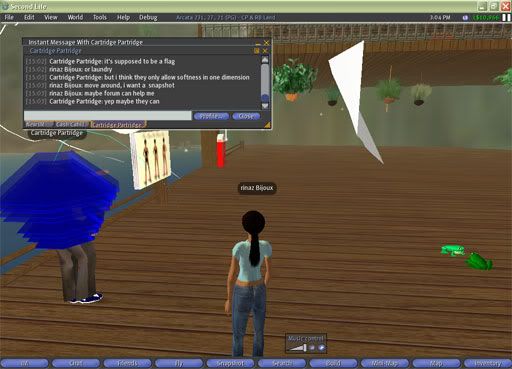 Objects would have white labels on it and I couldnt possibly read it. What on earth is going on ? 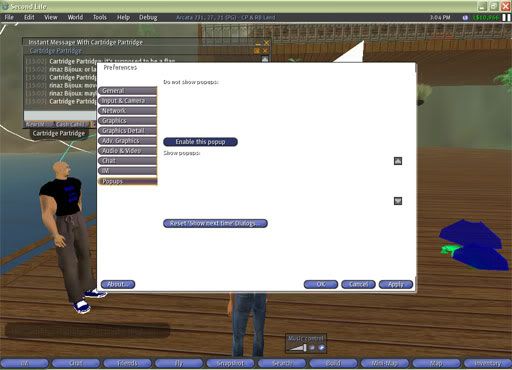 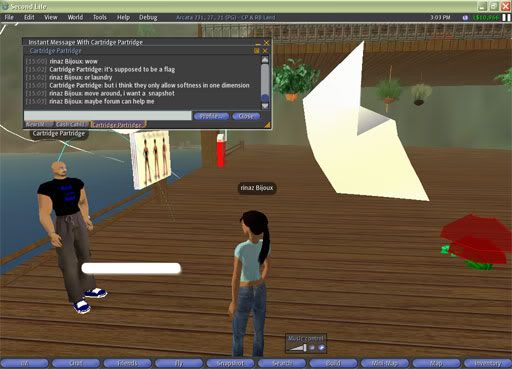 Ok, admittedly, I must have pressed something on my keyboard and now I cant get it back to normal ... Help!!!
_____________________
Mi Carissimo Cartcart ... Ti penso sempre . Ti amo tanto tanto tanto So blessed are we to have each other
|
|
Osprey Therian
I want capslocklock

Join date: 6 Jul 2004
Posts: 5,049
|
07-30-2006 15:17
Do you have "show updates" or whatever it's called, enabled? I think it's in debug.
|
|
Osprey Therian
I want capslocklock
Join date: 6 Jul 2004
Posts: 5,049
|
07-30-2006 15:18
It's definitely something in debug, I swear it - if it isn't that, go through and check what's ticked.
|
|
rinaz bijoux
is your friend!
Join date: 8 Oct 2004
Posts: 1,238
|
07-30-2006 15:25
Ah! Its animate textures! I've unticked it and now its gone! Thank you osprey!  Now I'm left with the white label with white text problem. 
_____________________
Mi Carissimo Cartcart ... Ti penso sempre . Ti amo tanto tanto tanto So blessed are we to have each other
|
|
SuezanneC Baskerville
Forums Rock!

Join date: 22 Dec 2003
Posts: 14,229
|
07-30-2006 16:56
The Animate Textures option in the Debug menu toggles the display of texture animation initiated with llSetTextureAnim. The blue, red, and green, triangles are shown when the Debug menu's "Show Updates" is turned on, like Osprey said. The different colors of triangles correspond to different degrees of update. The LSL wiki explains how you can use the show updates option to: From: someone Check that your scripts aren't forcing many full-primitive updates. To do this, activate the debug menu (Ctrl+Shift+D), then click "Show Updates". Full-primitive updates are highlighted with red cone-halos, terse primitive updates are highlighted with blue cone-halos, and primitive de-rez requests are highlighted with green cone-halos. Full-primitive updates force the server to re-transmit the entire status of the primitive to the client. The keystroke command for toggling the Show Updates display is Control Shift Alt U .
_____________________
-
So long to these forums, the vBulletin forums that used to be at forums.secondlife.com. I will miss them.
I can be found on the web by searching for "SuezanneC Baskerville", or go to
http://www.google.com/profiles/suezanne
-
http://lindenlab.tribe.net/ created on 11/19/03.
Members: Ben, Catherine, Colin, Cory, Dan, Doug, Jim, Philip, Phoenix, Richard,
Robin, and Ryan
-
|
|
Hooch Matador
Titus Andronicus

Join date: 24 Sep 2005
Posts: 375
|
07-30-2006 16:58
hi rinaz /waves its mulch |
