I'm yea close to done with a wedding chapel but we want to be married set on midnight, and when I tell certain items to emit light they look GREAT as long as I have them right-clicked/build window up, but the minute I close it, whoosh, no light. Torches don't seem to be casting a heck of a lot of light either. Actual lamps when rezzed seem to do the same thing--looks fine while I've got them selected, and the light vanishes when I close the build window. Help! Or I'm gonna have to get married at sunset, and that will not do : )
I did just switch computers, but the ATI card the new one came with=ha ha, you can't use SL or you crash, so I have an ancient Nvidia one on there now, but why would it show it to me BRIEFLY and then take the light away? Changing graphics settings every way I can figure out how does no good. Any advice would be very appreciated. TY dears!
Welcome to the Second Life Forums Archive
These forums are CLOSED. Please visit the new forums HERE
help! using light as a feature is.......ignoring me! |
|
|
Erik Baguier
Registered User
Join date: 22 Nov 2008
Posts: 7
|
06-11-2009 11:15
|
|
Nimue Jewell
Unabashedly Leggy

Join date: 20 Mar 2007
Posts: 1,745
|
06-11-2009 11:20
How many things do you have set to give off light, and are you close to more than 6 of them when you are editing the object that appears to blink off?
There is a limit to the number of local lights a viewer will display (I believe it is six) it will pick the six closest to you, and not show the light given off by the others. Also, if you or your guests are wearing facelights, those will count toward the number of local lights being shown. Someone with 2 face lights, a light in their hair, a light on their chest, and lights on their shoes (yes, I've seen this) will only see those, and miss all of your carefully planned effects, as will anyone who sits next to them.  **edit to add, you can disable showing attached lights in your viewer, which will solve the face light problem for you, but anyone who does not choose that preference will see something different than you do, if attached lights are present. _____________________
 Prim Pincher: Low Prim Furniture for Home, Garden, & Skybox http://slurl.com/secondlife/Nimue%20Isle/173/155/27 |
|
Rhaorth Antonelli
Registered User
Join date: 15 Apr 2006
Posts: 7,425
|
06-11-2009 11:25
also be sure you have the local lights setting turned on in preferences
I have notices SL loves to mess with me when it comes to that (turning it on and off at will, the will of SL, not my own will) _____________________
Morpheus Linden: But then I change avs pretty often too, so often, I look nothing like my avatar.  They are taking away the forums... it could be worse, they could be taking away the forums AND Second Life... |
|
Nimue Jewell
Unabashedly Leggy
Join date: 20 Mar 2007
Posts: 1,745
|
06-11-2009 11:25
Oh, and I misspoke before when I said it will pick the 6 closest to you, if they have different light radii and strengths that will factor into which are shown too.
_____________________
Prim Pincher: Low Prim Furniture for Home, Garden, & Skybox http://slurl.com/secondlife/Nimue%20Isle/173/155/27 |
|
Day Oh
Registered User

Join date: 3 Feb 2007
Posts: 1,257
|
06-11-2009 12:09
If you need help finding all the excess light sources, you can toggle Advanced > Rendering > Info Displays > Lights. You might find some light sources you didn't want
_____________________
 |
|
Isablan Neva
Mystic

Join date: 27 Nov 2004
Posts: 2,907
|
06-11-2009 12:42
Because of the limitations of local lighting, you probably want to consider use of particle lighting to create the glow effect you are looking for without being restricted by local lighting.
_____________________
 http://slurl.com/secondlife/TheBotanicalGardens/207/30/420/ |
|
Zuleika Deere
Registered User

Join date: 8 Oct 2006
Posts: 77
|
06-11-2009 13:31
Are you in the RC? That has those kind of issues. Prim parameter settings like light, glow, shine. You have to right click the prim, or zoom into it and then you'll see it.
There is a JIRA for it. You should see it all ok in the normal client. |
|
Marianne McCann
Feted Inner Child

Join date: 23 Feb 2006
Posts: 7,145
|
06-11-2009 14:04
Oh, and I misspoke before when I said it will pick the 6 closest to you, if they have different light radii and strengths that will factor into which are shown too. This can also be different depending on use of windlight shaders, taking you down to, I believe, four lights. _____________________
 "There's nothing objectionable nor illegal in having a child-like avatar in itself and we must assume innocence until proof of the contrary." - Lewis PR Linden "If you find children offensive, you're gonna have trouble in this world " - Prospero Linden |
|
Argent Stonecutter
Emergency Mustelid

Join date: 20 Sep 2005
Posts: 20,263
|
06-11-2009 14:42
This can also be different depending on use of windlight shaders, taking you down to, I believe, four lights. _____________________
Argent Stonecutter - http://globalcausalityviolation.blogspot.com/
"And now I'm going to show you something really cool." Skyhook Station - http://xrl.us/skyhook23 Coonspiracy Store - http://xrl.us/coonstore |
|
Nimue Jewell
Unabashedly Leggy
Join date: 20 Mar 2007
Posts: 1,745
|
06-11-2009 14:47
This can also be different depending on use of windlight shaders, taking you down to, I believe, four lights. Ooh, thanks. I wasn't 100% sure of the number of lights anyway, and I didn't know Windlight settings could take it even lower. Good to know. _____________________
Prim Pincher: Low Prim Furniture for Home, Garden, & Skybox http://slurl.com/secondlife/Nimue%20Isle/173/155/27 |
|
Oryx Tempel
Registered User

Join date: 8 Nov 2006
Posts: 7,663
|
06-11-2009 15:50
There! Are! Four! Lights! 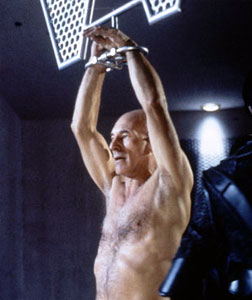 _____________________
|
|
Winter Ventura
Eclectic Randomness

Join date: 18 Jul 2006
Posts: 2,579
|
06-11-2009 17:15
There! Are! Four! Lights! TWO actually (4 only if you count the sun and moon). Unfortunately the Lindens have dismissed the jira as "Intended Behaviour" making 512mb nvidia video cards worthless when 1.23 comes out. (of course, I already had to choose between 6 lights and windlight skies.. I chose the lights. But now I have to choose between 6 lights and glow. http://jira.secondlife.com/browse/VWR-13110 _____________________
 ● Inworld Store: http://slurl.eclectic-randomness.com ● Website: http://www.eclectic-randomness.com ● Twitter: @WinterVentura |
|
Ava Glasgow
Hippie surfer chick

Join date: 27 Jan 2007
Posts: 2,172
|
06-11-2009 22:34
There! Are! Four! Lights! I love you guys. I honestly love you guys. |
|
Argent Stonecutter
Emergency Mustelid
Join date: 20 Sep 2005
Posts: 20,263
|
06-12-2009 03:57
I couldn't re-open VWR-13110 so I opened a new issue VWR-13989.
_____________________
Argent Stonecutter - http://globalcausalityviolation.blogspot.com/
"And now I'm going to show you something really cool." Skyhook Station - http://xrl.us/skyhook23 Coonspiracy Store - http://xrl.us/coonstore |