Welcome to the Second Life Forums Archive
These forums are CLOSED. Please visit the new forums HERE
Photography Tips |
|
|
Latavia Delvecchio
Registered User
Join date: 24 Jun 2004
Posts: 4
|
07-26-2008 20:24
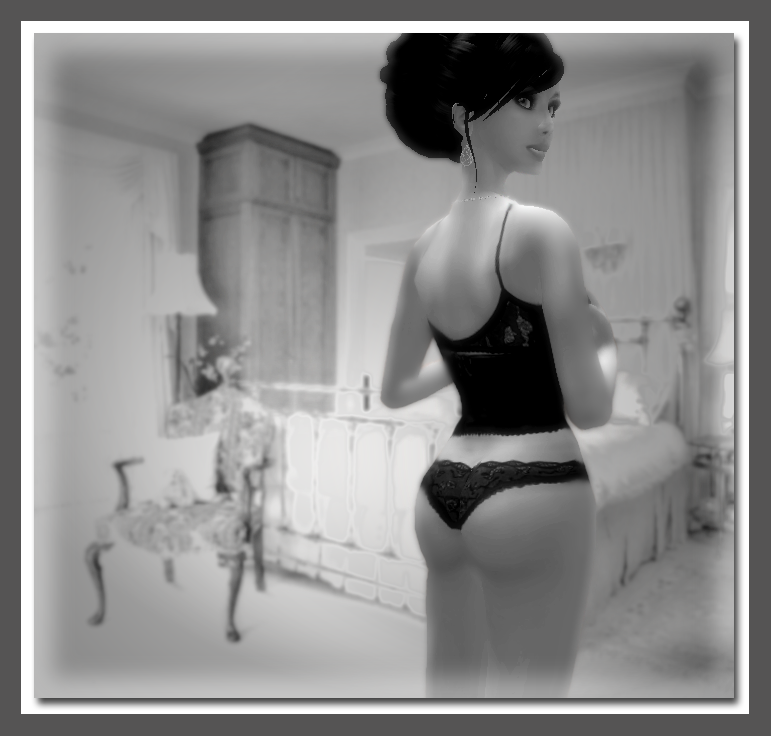
This may be a far fetched question...but I was wondering if anyone knew of a good photography tutorial. My main issue is getting the avatar to look more realistic. I've seen excellent pictures on flickr and the avatars look very real. I use Photoshop CS3. I have experimented using the contrast tool, and adding black and white layers and blending to add a shadow effect, but I still cant get it right. Perhaps I am not using the burn and dodge tools correctly...if anyone could direct me to some helpful resources I would be greatly appreciative. Thank you for your time.
|
|
Rhaorth Antonelli
Registered User
Join date: 15 Apr 2006
Posts: 7,425
|
07-26-2008 20:47
good photography starts with good pics, so make sure your lighting is optimized either via the use of a facelight or the custom lighting settings, and take it in high rez mode also a quality skin will play a large factor in it as well (if you are referring to the average human when you say avatar)
_____________________
Morpheus Linden: But then I change avs pretty often too, so often, I look nothing like my avatar.  They are taking away the forums... it could be worse, they could be taking away the forums AND Second Life... |
|
Latavia Delvecchio
Registered User
Join date: 24 Jun 2004
Posts: 4
|
07-26-2008 21:26
thank you so very much
|
|
Peggy Paperdoll
A Brat
Join date: 15 Apr 2006
Posts: 4,383
|
07-26-2008 21:27
Instead of using some static pose I use dance animations for my pictures. Gives the picture realistic motion. Yeah, it takes more snapshots to get just the right "pose" (I miss a lot, but eventually get the timing right
). Also I made four custom lighting scenes in the environmental editor (solid black sky, blue, red, and green) and adjusted the ambient lighting to light up my subject to my liking.......works great!! I also fly up to around 5000 meters for my pictures (I love my flight feather ).On the editing. I use GIMP but I'm sure PS has the equivalent. Use just a touch of "unsharp mask". It brings out the highlights and contrast in the pictures. But too much is not good. |
|
Sylvia Trilling
Flying Tribe

Join date: 2 Oct 2006
Posts: 1,117
|
07-26-2008 22:48
With photographs in the real world, the foreground is slightly orange or pink, warm colors and the background landscape is more blue, cool colors, the further away and also landscape in the far distance with be a bit blurry. These differences are caused by the way light travels though the atmosphere at short or long distances. A subtle re-creation of these effects in photoshop can make a difference.
_____________________
http://www.throughlinedesign.com/
 |
|
Rhaorth Antonelli
Registered User
Join date: 15 Apr 2006
Posts: 7,425
|
07-26-2008 23:01
I never do anything to my pics other than crop and remove the bulk of the background
then again, I do mine for ads, and would not want to falsely represent the product with airbrushing or sharpening or whatnot I like to show it as it is taken in SL (I know of some ppl who actually do "retouch" the pics, removing stuff like hair poking into avatar, skirts showing the leg, stretching and such) to me that is not showing good product pics _____________________
Morpheus Linden: But then I change avs pretty often too, so often, I look nothing like my avatar. They are taking away the forums... it could be worse, they could be taking away the forums AND Second Life... |
|
Nimue Jewell
Unabashedly Leggy

Join date: 20 Mar 2007
Posts: 1,745
|
07-26-2008 23:18
then again, I do mine for ads, and would not want to falsely represent the product with airbrushing or sharpening or whatnot I like to show it as it is taken in SL I agree Rha, for product photos I would much rather see an accurate representation of what the product will really look like, rather than a heavily photoshopped "ideal" version. I don't know much about SL photography, but a good friend recently took some pics for me and, through the magic of photoshop, I think achieved that realistic look you are talking about. I don't know all of what she did, but I know the photos were taken in front of a green screen, just me and a pose, no in world lighting system. She obviously cropped that out and pasted it over a real picture for the following photo, adding some photoshop magic along the way. I wish I could tell you what she did exactly, but I'll take the opportunity to brag on her work. (She just does photos as a hobby, so it's not advertising.)Warning: the following photo features an avi in her skivvies. http://i284.photobucket.com/albums/ll17/Nimue_Jewell/Personal%20pics/Nimue___8-1.png She's just picked up photoshop in the last few months. I don't know if she found any tutorials along the way, but if you are interested in finding out, drop me a PM and I can ask her or see about putting you in contact with her. (thanks again for the pics B!) _____________________
 Prim Pincher: Low Prim Furniture for Home, Garden, & Skybox http://slurl.com/secondlife/Nimue%20Isle/173/155/27 |
|
Bree Giffen
♥♣♦♠ Furrtune Hunter ♠♦♣♥

Join date: 22 Jun 2006
Posts: 2,715
|
07-26-2008 23:48
In the snapshot window near the bottom you can choose to capture color, depth and object mattes. You might want to take a snapshot using each. The object mattes snapshot can help you select certain objects in your photo. The depth can be used with the selection tool in photoshop to allow you to modify certain parts of your photo as previously suggested.
As far as lighting, use the windlight advanced sky settings but also make use of the prim point lights as well. If say you have your subject against a wall with the sun on her right you can add a point light on the left to simulate light bouncing off the wall. And yes take pictures at the highest resolution, turn up all the graphic details too, and I think you an turn on anti-aliasing in the graphic settings too. |
|
Rhaorth Antonelli
Registered User
Join date: 15 Apr 2006
Posts: 7,425
|
07-27-2008 00:24
nimue that is a cute pic
I have not tried anything like that, doesn't look like it would be difficult I just do my ads, and of course the stuff I am making to sell heh _____________________
Morpheus Linden: But then I change avs pretty often too, so often, I look nothing like my avatar. They are taking away the forums... it could be worse, they could be taking away the forums AND Second Life... |
|
Skell Dagger
Smitten

Join date: 26 Jun 2007
Posts: 1,885
|
07-27-2008 02:10
If you have the hard drive space, I definitely recommend using the hi-res snapshot to disk option, as it will get rid of those jagged edges in the shot. (You can also use the antialias option in graphics preferences to lessen those edges, but this will give you a performance hit your computer might not want to handle.) You can set these to capture silently via the Advanced menu (CTRL + ALT + D to open that menu and check 'silent snapshots to disk', if I remember the menu correctly). The only disadvantage of that is that you have to take the picture using the menu rather than the snapshot button.
If you detach the menu (click File, then click the two lines beneath it) then you can drag it anywhere on screen, so that your avatar's head follows it when you're not using a static pose that also keeps the head still. Even if the pose keeps the head still, the avatar's eyes will still follow your cursor, so it's a useful tip to know. ETA: If you're on a powerful enough computer, then Torley has some tips in this video for increasing graphics detail beyond preferences, especially for taking high-quality pictures: http://www.youtube.com/watch?v=TJCrVE6xkW4 _____________________
It always ends in chickens...
Store blog - http://primflints.wordpress.com/ Inworld - http://slurl.com/secondlife/Jindalrae/21/25/442 XStreet - http://tinyurl.com/primflints Photos - http://www.flickr.com/photos/skelldagger/ |
|
Tali Rosca
Plywood Whisperer

Join date: 6 Feb 2007
Posts: 767
|
07-27-2008 06:06
For product shots, I sometimes manipulate the hell out of the *background*, to differentiate the product, as it looks in SL, from the surroundings.
Like http://drop.io/TaliRosca/asset/sideview or to a less visible extend http://drop.io/TaliRosca/asset/dual (The second uses GIMP's Oilify for a stylish blur-effect of the background). Both leave the model itself as it looks under a default sunset. |
|
Zerock Parx
Registered User

Join date: 5 Jul 2008
Posts: 120
|
07-27-2008 06:25
I've only began to work on SL photos in CS3. So far I've improved the default by adding depth of field using Gaussian blur, selecting the subjects and bringing them out.
This has been a really informative thread, thank you to the OP _____________________
Enjoying a new world
|
|
Aree Lulibub
Registered User
Join date: 21 Jan 2007
Posts: 198
|
07-27-2008 09:45
I haven't worked with this much, but I hear Photoshop's liquify filter is good for removing jagged edges. I usually use the eraser and a bit of blur on the edges to soften them up.
|
|
Ralektra Breda
Template Painter

Join date: 7 Apr 2008
Posts: 1,875
|
07-27-2008 18:20
I saw a tutorial on youtube about using liquify, someone was using it to make their av's breast round instead of slightly square at the bottom
 If I am making a photo of an outfit to sell, I don't touch the outfit itself but I do mess with the backgrounds, and if my av's hair is poking thru my cheek in an otherwise good shot then yes I will definitely remove it lol I've never messed with photos much so it's a learning experience trying to make interesting photos. |
|
Rhaorth Antonelli
Registered User
Join date: 15 Apr 2006
Posts: 7,425
|
07-27-2008 20:06
being I use a blank(white) background in my ads, (or used to use a very faint multi color background) I tend to not have to worry about messing with background
and I refuse to touch up even small things such as hair sticking into places it should not, or roundness of the breasts, or any such other things, because these are for ads, I want the ads to show the product as is if I am wearing hair that goes where it should not, I switch to a hair that won't hehe (I have plenty to do that with) I do not fault those that do do touchups, just I don't _____________________
Morpheus Linden: But then I change avs pretty often too, so often, I look nothing like my avatar. They are taking away the forums... it could be worse, they could be taking away the forums AND Second Life... |
|
Morgaine Christensen
Empress of the Universe
Join date: 31 Dec 2005
Posts: 319
|
07-28-2008 08:12
I never do anything to my pics other than crop and remove the bulk of the background then again, I do mine for ads, and would not want to falsely represent the product with airbrushing or sharpening or whatnot I like to show it as it is taken in SL (I know of some ppl who actually do "retouch" the pics, removing stuff like hair poking into avatar, skirts showing the leg, stretching and such) to me that is not showing good product pics As a long-time consumer,who has spent thousands of RL dollars in-world and continues to spend, I can tell you I hate retouched items that accompany a lot of SL female clothes. Yes, they look wonderful...but when I buy the product and it does not perform as expected (i.e. like it looks in the advertising/boxed pic) I usually will not buy from that vendor anymore. To me, it a form of false advertising. |
|
Sassy Romano
Registered User
Join date: 27 Feb 2008
Posts: 619
|
07-28-2008 08:27
As a long-time consumer,who has spent thousands of RL dollars in-world and continues to spend, I can tell you I hate retouched items that accompany a lot of SL female clothes. Yes, they look wonderful...but when I buy the product and it does not perform as expected (i.e. like it looks in the advertising/boxed pic) I usually will not buy from that vendor anymore. To me, it a form of false advertising. I agree entirely, i have touched up pics and although i can usually work out how it will look i would rather see the original. |