Is there a way to run 2 viewers on the same PC?
Is there a another viewer that you can shrink down all the chat and dialogue boxes down to a single line?
If I load up another viewer, and want to go back to Nicholaz BE.....Would I have to reload, and try and re-decipher the 'how to make it work instructions' all over again?, and would it even load up again if I did? (One time I swapped viewer on my old PC, went to re-load the older version, and SL didn't accept it, so I was forced to change and wasn't happy until I found my current viewer)
--------------------------------
I love, love, love, love my Nicholaz bleeding edge viewer. I love the fact that I can shrink all the chat and other boxes into a tiny single line If I want to. I like the usage and layout of the IMs and chat dialogue. I like the colours and the look, and use of it. I can't fault it at all really for me and my uses.
I don't like the official viewer for a few reasons, like with the dialogue boxes, where there is only so much shrinkage available, and I really don't like the 'tear off' Ims thing - on the brief few weeks I tried to get used to it - it just frustrated and annoyed me. I didn't like the extras cluttering up my already crowded view. But that's just my opinion. However my PC doesn't like Windlight. Runs slow, crashes, and its just not good. I also didn't like how it looks, the colours seen harsh, and to me, it made the landscape look like it had been cut out and stuck onto a photo-shopped sky - but I am fully aware that its come on a bit since the first release, and my now opinion of it all could be complete rubbish. Shame the PC isn't happy when it ran.
However, that being said, my main problem is that lately, I've come to realise I'm losing out on a lot of things with SL, in terms of how things look in general. Like all the trees, houses, furniture, and other objects, are not formed right, or appear in blocks and slats. Some grasses never appearing, and some things are odd shapes. Shoes are often 'exploded' for want of a better description. And no matter what I do, it doesn't go right, and people keep telling me its time for a viewer upgrade. Also, I like taking pictures. If I want to enter any competitions in SL - I've noticed nearly everything taken with Windlight nowadays. And I would love to mess about with the Dynamic Shadows I keep hearing about which isn't available on my current viewer.
So what I was thinking was, if there is another viewer, Windlight enabled viewer for photo work, or to quickly switch viewers so I can see what it is that everyone is getting so excited about at a new place, then can I still go back to my beloved Nicholaz without re-installing it, for normal everyday useage. Unless there is another viewer with greatly shrinkable dialogue boxes?
Welcome to the Second Life Forums Archive
These forums are CLOSED. Please visit the new forums HERE
Viewer Questions |
|
|
Jinnywitha Cleanslate
Registered User
Join date: 31 Jan 2007
Posts: 164
|
10-08-2009 10:55
|
|
Osprey Therian
I want capslocklock

Join date: 6 Jul 2004
Posts: 5,049
|
10-08-2009 11:03
I use umpteen different viewers and swap as I feel I need/want to. This sounds more like you need a more powerful computer than a different viewer, though. Have you tried Snowglobe?
_____________________
|
|
Jinnywitha Cleanslate
Registered User
Join date: 31 Jan 2007
Posts: 164
|
10-08-2009 12:06
No - not heard of it. Do I just install it and load it up like a normal viewer?
or do I have to uninstall the Nicholaz first? |
|
Lindal Kidd
Dances With Noobs

Join date: 26 Jun 2007
Posts: 8,371
|
10-08-2009 12:30
Most third party viewers install to their own directories, so you can have multiple viewers on one PC. I have the Linden Lab 1.23 viewer, Snowglobe, Kirsten's, and GreenLife Emerald installed.
_____________________
It's still My World and My Imagination! So there.
Lindal Kidd |
|
Kit Namanari
Let's pretend...

Join date: 14 Oct 2006
Posts: 126
|
10-08-2009 12:32
No - not heard of it. Do I just install it and load it up like a normal viewer? or do I have to uninstall the Nicholaz first? Snowglobe installs into its own directory; no need to uninstall Nicholaz. http://wiki.secondlife.com/wiki/Snowglobe Kitsy ^.^ _____________________
我 看见 我 忘记。我 听见 我 记住。我 做 我 了解。
|
|
DanielRavenNest Noe
Registered User

Join date: 26 Oct 2006
Posts: 1,076
|
10-08-2009 18:08
Yeah, I have Official 1.23, Emerald, Kirstens, and Metbolt, all loaded up. each in a separate install directory.
if you have a powerful enough computer, you can run more than one copy of SL at a time, using the -multiple startup item, and metabolt is a low use text only version, if you want to stay logged in to chat, but run other stuff on a lower power PC. |
|
Jinnywitha Cleanslate
Registered User
Join date: 31 Jan 2007
Posts: 164
|
10-09-2009 12:52
I have loaded up Snowglobe and am totally amazed at the trees and the textures! I'm perhaps a little too excited over everything, being that I've been in SL so long. Lol. Oh my - and the sky with all the stars! WOW! lol.
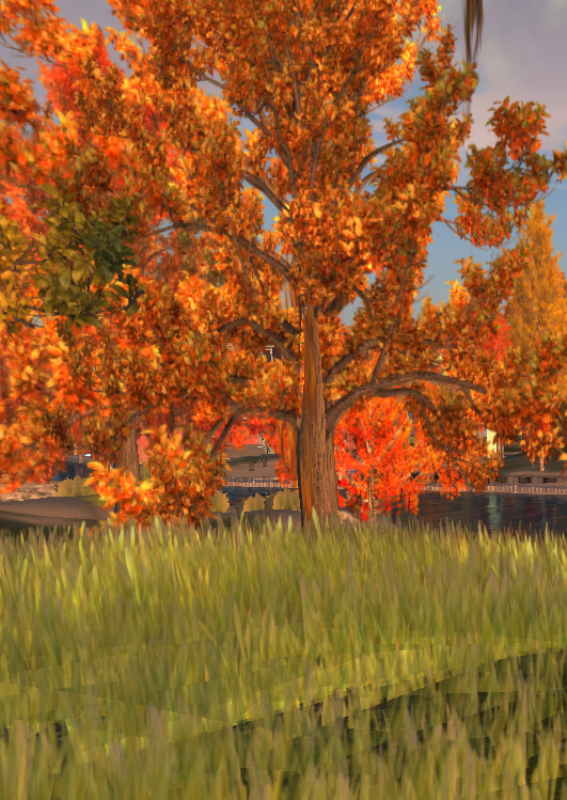
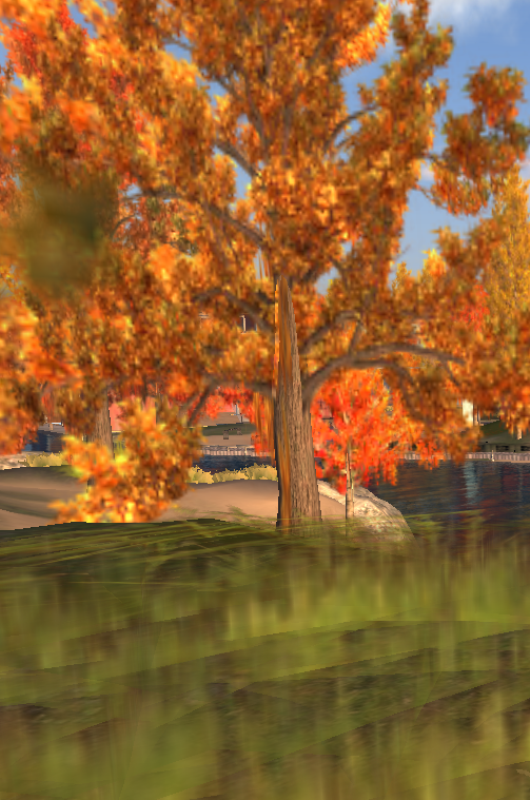
Anyway - a friend came over to where I was ooh-ing and ahh-ing over everything in this park, and took a photo with the LL viewer, and with the Snowglobe viewer to compare the differences, as they'd has been using Windlight for some time now - whereas this is all new and shiny to me. Snowglobe came out like it is looking through a soft view lens, for example, the grasses in the park were absolutely beautiful via the LL viewer - whereas on Snowglobe, they are completely fuzzy and out of focus, and not individual blades. The tree edges were not as sharp either, and some of the surface texture is fuzzy on the trees too. My friend has a good computer - unlike mine, so its not that. And it wasn't that it was rezzing, as my poor friend had waited a while there, putting up with me raving over everything, for sometime before the picture where taken. I still don't like the non-shrink chat boxes, and that to shrink the boxes you have to tear the Ims all off, as opposed to leaving them all under tabs in one single window, making you have a banner of the boxes on screen - but well... that is something I will have to live with. Any ideas why it would be fuzzy, and is there anyway to improve that? Also - how do I get the Dynamic Shadows thing working on Snowglobe? |
|
Jinnywitha Cleanslate
Registered User
Join date: 31 Jan 2007
Posts: 164
|
10-09-2009 13:20
http://i236.photobucket.com/albums/ff67/SecondLifeJinny/SLOfficialLLViewer.png - Official Linden Lab Viewer
http://i236.photobucket.com/albums/ff67/SecondLifeJinny/SLSnowglobeViewerPicture.png - Snowglobe Viewer |
|
Lindal Kidd
Dances With Noobs
Join date: 26 Jun 2007
Posts: 8,371
|
10-09-2009 13:34
Either the scene has not rezzed completely, or antialiasing is set too high in the Snowglobe photo.
_____________________
It's still My World and My Imagination! So there.
Lindal Kidd |
|
Jinnywitha Cleanslate
Registered User
Join date: 31 Jan 2007
Posts: 164
|
10-09-2009 13:45
Either the scene has not rezzed completely, or antialiasing is set too high in the Snowglobe photo. What is "antialiasing" ? Because I see exactly the same, and another friend who is on Snowglobe says it is the same for her too. |
|
Jinnywitha Cleanslate
Registered User
Join date: 31 Jan 2007
Posts: 164
|
10-11-2009 08:28
Ok - I have Snowglobe loaded on another PC - same effect - slightly blurry. I've looked through the menus and can't find anything marked "antialiasing".
Also - how can I activate the Dynamic Shadows ? Thanks for your help |
|
Argent Stonecutter
Emergency Mustelid

Join date: 20 Sep 2005
Posts: 20,263
|
10-11-2009 09:47
Antialiasing effectively renders the image at a higher resolution and blends the resulting pixels down to get smooth (and what some people consider slightly blurred) edges instead of jagged ones. It's in the graphics preferences tab under hardware options, the button is in the lower left.
_____________________
Argent Stonecutter - http://globalcausalityviolation.blogspot.com/
"And now I'm going to show you something really cool." Skyhook Station - http://xrl.us/skyhook23 Coonspiracy Store - http://xrl.us/coonstore |