I have posted photos on websites and forums for years but for some reason I am running into a wall trying to do so here on these forums.
I am using Snapfish as my photo hosting service. I have tried <img> [img](with the proper source code) and nada.
I've even looked at the view page source on other photos posted here, copied that string, put in my own info and still nothing.
Can anyone help please?
/goes off for another hit of caffeine so maybe my brain cells will wake up
Welcome to the Second Life Forums Archive
These forums are CLOSED. Please visit the new forums HERE
Posting Photos Help Please |
|
|
Czari Zenovka
I've Had it With "PC"!
Join date: 3 May 2007
Posts: 3,688
|
02-22-2008 06:09
_____________________
*Czari's Attic* ~ Relive the fun of exploring an attic for hidden treasures!
http://slurl.com/secondlife/Rakhiot/82/99/111 During times of universal deceit, telling the truth becomes a revolutionary act.- George Orwell |
|
Rioko Bamaisin
Unstable Princess

Join date: 16 Aug 2007
Posts: 4,668
|
02-22-2008 06:14
Have you clicked on the insert image button? (in the reply/post screen) You just click on that and enter the URL of where your picture is.
|
|
Kitty Barnett
Registered User
Join date: 10 May 2006
Posts: 5,586
|
02-22-2008 06:18
 (Picture "borrowed" from http://forums.secondlife.com/showthread.php?t=241391) |
|
Czari Zenovka
I've Had it With "PC"!
Join date: 3 May 2007
Posts: 3,688
|
02-22-2008 06:23
Errr, no. Just looked around on the replay screen while writing this post and didn't see the insert image option anyplace. (Decides maybe 2 more jolts of caffeine would help *sighs*)
I know when I realize how to do this I'm going to feel reallllly stupid.  _____________________
*Czari's Attic* ~ Relive the fun of exploring an attic for hidden treasures!
http://slurl.com/secondlife/Rakhiot/82/99/111 During times of universal deceit, telling the truth becomes a revolutionary act.- George Orwell |
|
Rioko Bamaisin
Unstable Princess
Join date: 16 Aug 2007
Posts: 4,668
|
02-22-2008 06:27
it's a little block,looks like this:
 |
|
Ann Launay
Neko-licious™

Join date: 8 Aug 2006
Posts: 7,893
|
02-22-2008 06:29
Do you have 'Show Images' selected in your user CP options? I believe it defaults to not showing them.
_____________________
~Now Trout Re-Re-Re-Certified!~
I am bumping you to an 8.5 on the Official Trout Measuring Instrument of Sluttiness. You are an enigma - on the one hand a sweet, gentle, intelligent woman who we would like to wrap up in our arms and protect, and on the other, a temptress to whom we would like to do all sorts of unmentionable things. Congratulations and shame on you! You are a bit of a slut. |
|
Yosef Okelly
Mostly Harmless

Join date: 26 Aug 2007
Posts: 2,692
|
02-22-2008 07:26
Scroll to the bottom and make sure it's not disabled in you preferences.
vB code is On Smilies are On [IMG]code is On HTML code is Off |
|
Czari Zenovka
I've Had it With "PC"!
Join date: 3 May 2007
Posts: 3,688
|
02-22-2008 10:29
Arggg...still didn't work.....I brought up the WYSIWGY posting frame...photo showed up in my preview...but not when I posted it.
LOL /goes back to knocking head against the wall _____________________
*Czari's Attic* ~ Relive the fun of exploring an attic for hidden treasures!
http://slurl.com/secondlife/Rakhiot/82/99/111 During times of universal deceit, telling the truth becomes a revolutionary act.- George Orwell |
|
FD Spark
Prim & Texture Doodler

Join date: 30 Oct 2006
Posts: 4,697
|
02-22-2008 10:31
Thank you all so much!!! I was using the plain editor (didn't think I needed the WYSIWYG editor) and the default *was* off for that. *Hugs Ann* Testing..... This was what I looked like in EQ....but was just using a test photo! Woo-Hoo! Thanks again for all the wonderful answers!!!! I don't see the image I wonder why? Maybe you selected the wrong image property link? I have had this problem when I picked the wrong image link property there might be two try the other when you select image properties. _____________________
Look for my alt Dagon Xanith on Youtube.com
Newest video is Loneliness by Duo Zikr DX's Alts & SL Art Death of Avatar |
|
Ann Launay
Neko-licious™
Join date: 8 Aug 2006
Posts: 7,893
|
02-22-2008 10:41
Arggg...still didn't work.....I brought up the WYSIWGY posting frame...photo showed up in my preview...but not when I posted it. LOL /goes back to knocking head against the wall Yeah, I'm set on the standard editor with 'Show Images' checked and it works fine. Have you tried using another hosting service, just to test it? I know http://imageshack.us/ works. _____________________
~Now Trout Re-Re-Re-Certified!~
I am bumping you to an 8.5 on the Official Trout Measuring Instrument of Sluttiness. You are an enigma - on the one hand a sweet, gentle, intelligent woman who we would like to wrap up in our arms and protect, and on the other, a temptress to whom we would like to do all sorts of unmentionable things. Congratulations and shame on you! You are a bit of a slut. |
|
Czari Zenovka
I've Had it With "PC"!
Join date: 3 May 2007
Posts: 3,688
|
Testing...again
02-22-2008 10:58
_____________________
*Czari's Attic* ~ Relive the fun of exploring an attic for hidden treasures!
http://slurl.com/secondlife/Rakhiot/82/99/111 During times of universal deceit, telling the truth becomes a revolutionary act.- George Orwell |
|
Czari Zenovka
I've Had it With "PC"!
Join date: 3 May 2007
Posts: 3,688
|
02-22-2008 10:59
Ann, I may have to try another hosting service. Darn it!! Snapfish has worked on every other forum I've been on for years, but for some reason just doesn't play nicely with this one.
 Thank you again for all your help  _____________________
*Czari's Attic* ~ Relive the fun of exploring an attic for hidden treasures!
http://slurl.com/secondlife/Rakhiot/82/99/111 During times of universal deceit, telling the truth becomes a revolutionary act.- George Orwell |
|
Ann Launay
Neko-licious™
Join date: 8 Aug 2006
Posts: 7,893
|
02-22-2008 11:02
I just tried the Snapfish link you used above and it didn't work for me either, despite the fact that I post pics all the time here, so I think it must be the hosting.
Flickr is the one I use for my SL images, although I unfortunately can't access it from work anymore.  There's a big SL community over there too. There's a big SL community over there too._____________________
~Now Trout Re-Re-Re-Certified!~
I am bumping you to an 8.5 on the Official Trout Measuring Instrument of Sluttiness. You are an enigma - on the one hand a sweet, gentle, intelligent woman who we would like to wrap up in our arms and protect, and on the other, a temptress to whom we would like to do all sorts of unmentionable things. Congratulations and shame on you! You are a bit of a slut. |
|
Ceka Cianci
SuperPremiumExcaliburAcc#

Join date: 31 Jul 2006
Posts: 4,489
|
02-22-2008 11:14
i would say you are not getting the image link..there is no .jpg or file on the end of a link ..that looks more like a members area to a photo album or something..what you need to do is right click on the image go to properties then look for a link that ends with either gif tga or jpg
then copy that link from the properties window and put it between your ..hope this helps _____________________
|
|
Czari Zenovka
I've Had it With "PC"!
Join date: 3 May 2007
Posts: 3,688
|
And Once Again....
02-22-2008 13:10
Ok, registered with PhotoBucket to see if this works:
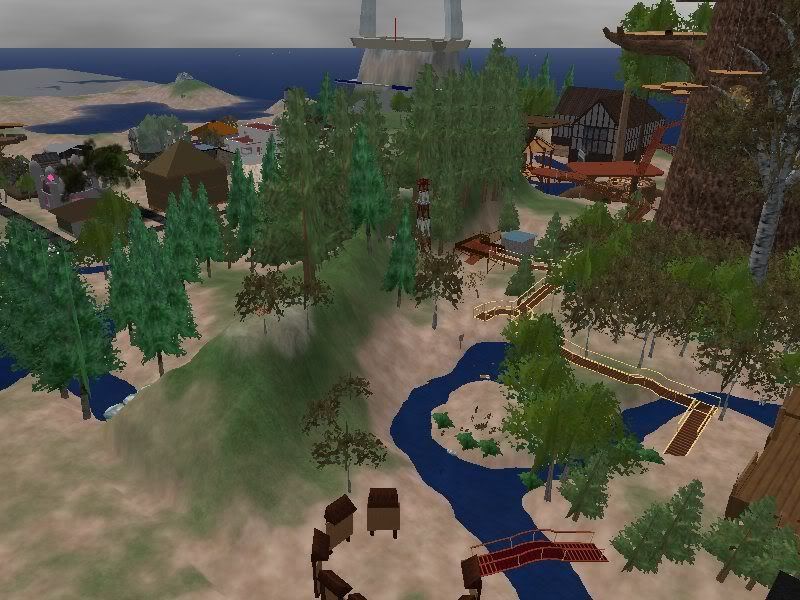
 Apparently this forum didn't like the format of the Snapfish photos. They don't end in .jpg for some strange reason. Thank you again everyone for your help! Whew. Now I began this odyssey with suggesting this spot as a romantic place for another poster...heading up there now. Again, many thanks for all your help and suggestions.  _____________________
*Czari's Attic* ~ Relive the fun of exploring an attic for hidden treasures!
http://slurl.com/secondlife/Rakhiot/82/99/111 During times of universal deceit, telling the truth becomes a revolutionary act.- George Orwell |
|
Rioko Bamaisin
Unstable Princess
Join date: 16 Aug 2007
Posts: 4,668
|
02-22-2008 13:50
Very cool!Glad it worked out for you. Nice picture too.
|
|
Abby Bloxome
Registered User
Join date: 5 Oct 2006
Posts: 95
|
This is over my head
02-23-2008 08:05
I have pictures on snapzilla, but to post them here I have to copy and paste the http address, I don't know how to make them a link.I would love to be able to post a picture on these forums but the previous helpful comments are way above my head. Can anyone explain how to do this for the utterly clueless?
PS I do not see an insert picture icon on the comment box and nothing in User CP mentions "allow pictures," I don't know what people are talking about. Sorry if this is an irritating question. |
|
Abby Bloxome
Registered User
Join date: 5 Oct 2006
Posts: 95
|
test
02-23-2008 08:18
|
|
Abby Bloxome
Registered User
Join date: 5 Oct 2006
Posts: 95
|
thanks for question!
02-23-2008 08:23
I didn't know how how to post a picture - I was using snapzilla - thanks for the question. Now I use Photo Bucket
 |
|
Sling Trebuchet
Deleted User
Join date: 20 Jan 2007
Posts: 4,548
|
02-23-2008 09:22
it's a little block,looks like this: About time I tried some pics. So I'll try a pair of img tags around the URL for that image Edit 1 - That worked |
|
Sling Trebuchet
Deleted User
Join date: 20 Jan 2007
Posts: 4,548
|
02-27-2008 02:27
News to me:-
In Quick Links / Edit Options. down at the very bottom, and waaaaay beyond the Thread Options "Show Images (including attached images and images in [IMG]code)" option I came to : --------------------------------------------------------------- Miscellaneous Options Message Editor Interface When posting messages to the forums or other members, there are three interface types available to you. The simplest of these is a simple text box, while the last is a fully-fledged WYSIWYG editor, which allows you to format your text as you want it and see the results immediately. Depending upon the capabilities of your web browser, you may not be able to use all of these options. If you experience problems when posting messages, try switching to a different interface type. ---------------------------------------------------------------- I had the Basic Editor set, so maybe that is the default? I don't remember setting that. So I wasn't seeing the Insert Image icon. In my test above, I simply picked up the URL -- "http://forums.secondlife.com/images/editor/insertimage.gif" - for that icon from someone's previous post and typed in a pair of IMG tags around in the Basic editor. That worked. In fact, all the Insert Image button in the non-Basic editors does is to put up a prompt for the URL and auto-supplies the pair of IMG tags. Then in another thread, I tried the same thing (putting IMG tags around the URL) for a Flickr image. That "half-worked". The URL appeared as a hyperlink, and not as an inline image. And Duh! I just noticed that in that test I had left a "?v=0" appended to the Flickr image URL . There should have been nothing after the ".jpg" *hangs head* I took that out and retested. All was OK. The image was inline then. I have no excuse, but less techie people can't be blamed for not realising that the URL supplied for their image has to be for a standard image file - ending in .jpg, .bmp. or the like. Hosting is an issue then, if the images are coming out of a database query, rather than been directly available on the web as image file names. Okies! Now a picture can say a thousand words. There are wonderful images all over SL - avatars and builds |
|
Czari Zenovka
I've Had it With "PC"!
Join date: 3 May 2007
Posts: 3,688
|
02-27-2008 03:51
Oooo, Abby!! What a great photo!!!
/waves to Sling!!! Let the photos begin _____________________
*Czari's Attic* ~ Relive the fun of exploring an attic for hidden treasures!
http://slurl.com/secondlife/Rakhiot/82/99/111 During times of universal deceit, telling the truth becomes a revolutionary act.- George Orwell |
|
Sally Silvera
live music maniac

Join date: 17 Feb 2007
Posts: 2,325
|
02-27-2008 03:57
If you want to post an image from Flickr, you need to go to the image, then select "all sizes" at the top and then insert the bottom link on that page between img tags.
. _____________________
|

